
Living Museum of Learning
The Day Tianjing Put Math on the Screen
Before they left the morning's playground, Tianjing checked her progress on her redo of the Grade 8 Khan Academy course challenge.
“Ah, 2 out of 4.”
She had scored 25/30 on her first attempt, so this 50% progress clearly wasn't satisfying her.
Donald wasn't concerned.
“That's fine. We learned new thing.”
And that was the signal to return to the fun.
Turning Point — Two Lines
Khan had introduced Tianjing to slope, a completely new idea for her.
They started with:
3x − 5 = 4y − 3
Donald let her plot the line herself.
She remembered his trick from a few days earlier:
“You can pick any points.”
So she chose convenient points, including the x-intercept and y-intercept, and put the line on the screen.
Then they talked about height over base—the slope.
Donald showed her that if the equation were written in the form y = ..., the slope could be read from the equation.
Tianjing immediately noticed:
“There is a minus 2.”
Great.
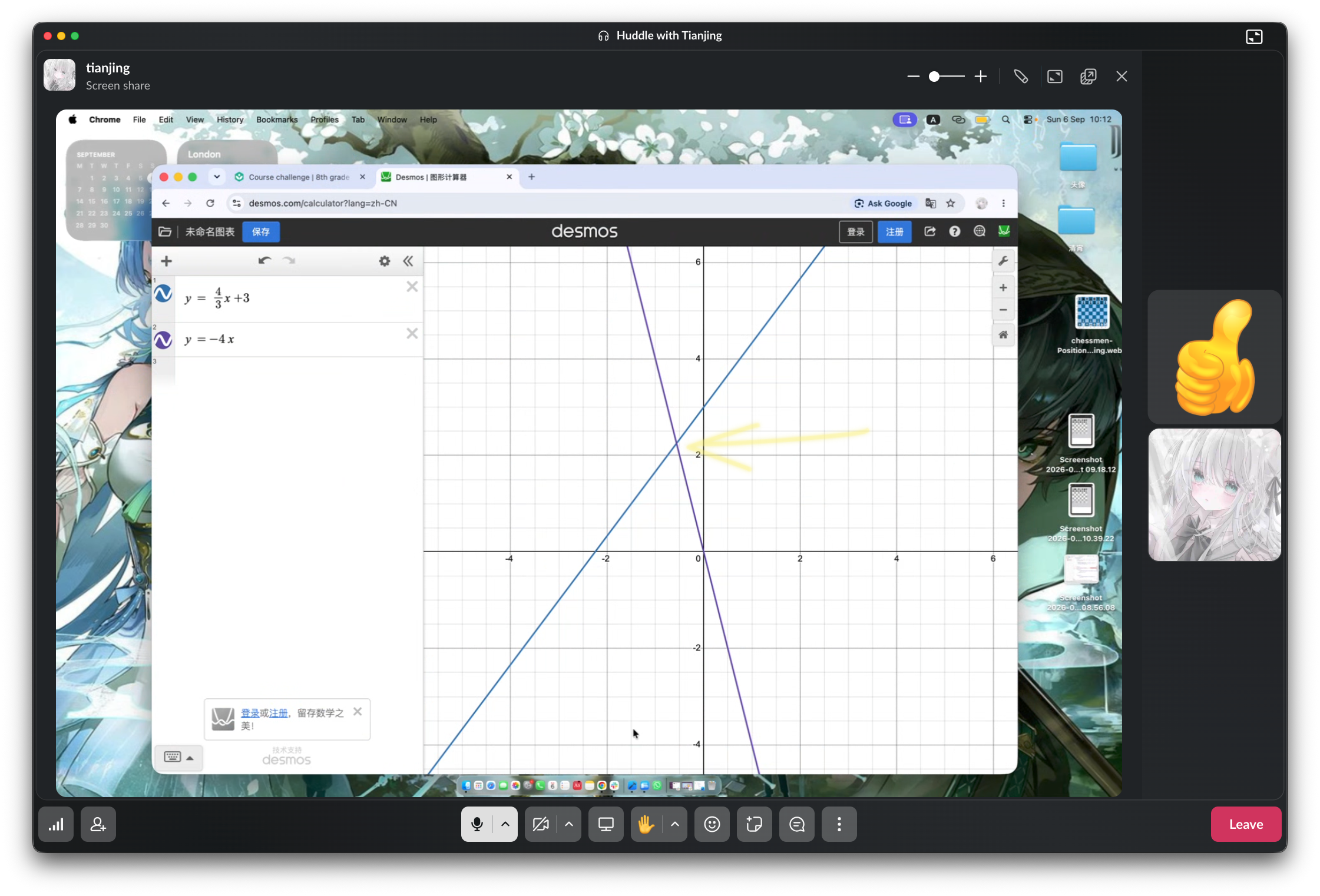
So they went to Desmos to see what that −2 actually did.
And she discovered that it had nothing to do with the slope.
Of course, they couldn't leave without playing with a negative slope.
And once she had two lines on the screen, they couldn't ignore the fact that the lines met at one point.
Donald could have immediately taught her how to solve a system of linear equations.
He didn't.
Instead:
“Could you adjust your two lines so the meeting point has integer values?”
It wasn't easy—even for Donald.
Then came the idea:
“I got a good idea. Why don't we fix one line and move the other?”
Now they had a controlled experiment.
One line stayed fixed.
The other moved.
They watched the intersection move and tried to make its coordinates integers.
And then the mathematical meaning emerged:
The meeting point is the solution of the system of linear equations.
The two equations agree at that point.
They hadn't started by mechanically solving a system.
They had seen the solution first.
Emergence — From a Point on a Graph to a Finger on an iPad
After the math, Donald returned to the promise of something fun.
“iOS can give us our finger location each time we touch the screen.”
They started playing with touchesBegan().
Donald marked one place on the simulator, then another.
“If I touch here, is the coordinate bigger or smaller?”
“Bigger.”
Donald simply waited.
Then Tianjing looked again:
“Oh, smaller, since it's closer to the origin.”
Now she could actually see the coordinate system she had just been manipulating mathematically.
Donald showed her how to print the x and y values that iOS provides in the touch parameter.
Then came the obvious idea:
“If we draw a piece at where we touch …”
Tianjing immediately replied:
“Pieces will be everywhere on screen.”
LOL.
This was a chess project, and she already knew that only two lines of code were needed to render a piece image.
They tried it.
Nothing appeared.
The Debugging Adventure
Donald remembered that the piece should be drawn in draw(), not directly in touchesBegan().
So they needed to save the finger's x and y and let draw() use them.
Still nothing.
Then Donald realized he had forgotten another piece:
“Sorry I forgot repainting. Rollback to the last state—my mistake again. We just need a single line to tell iOS to redraw. Type setNeedsDisplay.”
Donald was excited.
Tianjing rolled back, added the line—
Failed.
And now the editor's redo/rollback history was gone.
Poor Tianjing had to retype the lines saving the finger's x and y.
They tried again.
This time it worked.
The chess piece appeared exactly where the finger had touched.
What started as a disappointing “2 out of 4” became an unusually rich learning morning.
Tianjing moved through several layers of the same idea:
A point has coordinates.
A line has a slope.
Two lines can meet at a point.
That point can represent the solution to two equations.
A finger touching a screen has coordinates.
Those coordinates can control where a chess piece is drawn.
And then there was the other lesson—the one no textbook can give her as cleanly:
Programming doesn't always work the first time.
Not even when the person teaching you has seen the same problem ten times before.
A student can discover the meaning of a system of equations by moving lines, then turn screen coordinates into interactive chess pieces.
Plot, move, observe, hypothesize, test, debug, retry. Concepts emerge from experiments rather than arriving as finished rules.
The boundary between mathematics, programming, and physical interaction becomes almost invisible: a mathematical point can become a touch, and a touch can become a chess move.